Strategies & Risk
How to Stop a Deriv Bot Losing Money With Risk Controls
Set a hard stop loss below 20% of your balance and cap multiplier progressions to learn how to stop a deriv bot losing money using 5 setup steps.
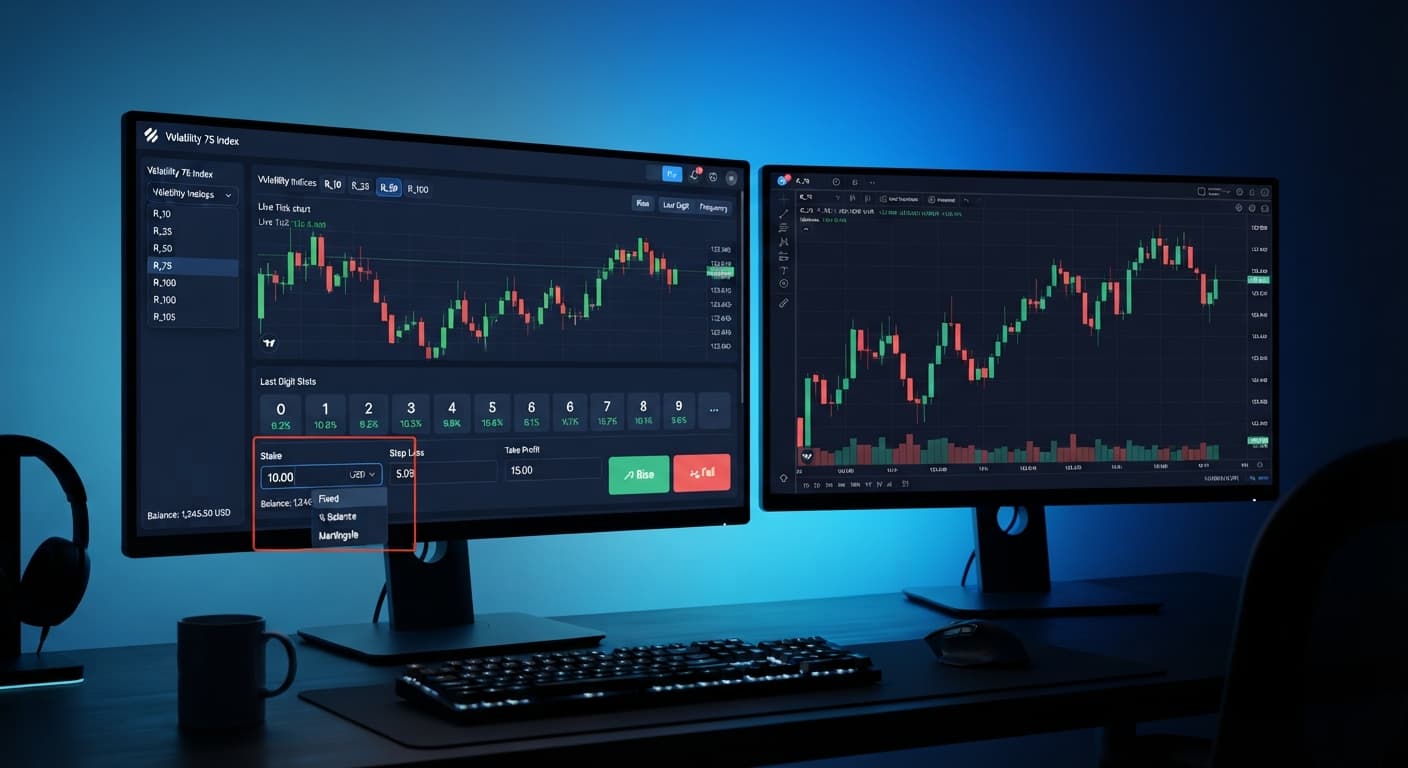
If you are searching for a deriv bots stake size guide, the rule is simple: size your base stake relative to your bankroll and contract odds—use Fixed Stake for predictable risk, % of Balance (1% to 2%) for auto-scaling, or Martingale with a strict max ladder level to handle drawdown streaks. Setting your stake correctly stops fast account drain while keeping profit targets within reach when running automated tools on Deriv. You don't need complex formulas, but you must align your initial outlay with your risk controls.
When running automated setups across deriv bots or custom execution scripts, your stake parameters determine whether your strategy survives a standard market shift or wipes out your balance in minutes.
Most traders launch automated scripts using whatever default numbers load on their screen. Default settings don't know your balance, your risk tolerance, or the payout structure of the asset you're trading. A flat $10 stake might represent 1% of a large account, but it's 20% of a $50 account.
When trading high-frequency synthetic index contracts, default values create immediate structural problems:
Deriv synthetic indices operate on continuous mathematical calculations, meaning each tick is completely independent of the last. A run of five consecutive odd digits on Volatility 100 Index doesn't make an even digit more likely on the next tick. If your stake setup relies on the belief that a loss makes a win "due," your account balance will drop fast.
Before running any money management configuration with real capital, you should test your settings thoroughly on a Deriv demo account.
Here is how to set up your stake sizing controls inside tools like Solid Trading Bot or scripts from the free bot library.
Open your bot interface and locate the money management selection menu. Choose the model that matches your contract type:
For Fixed Stake, enter your exact order amount in dollars (for example, $0.35 or $1.00). For % of Balance, input a percentage value between 1.0 and 2.0. On a $500 balance, a 1% input sets your opening order to $5.00 automatically.
If you selected Martingale or Anti-Martingale, set your multiplier factor (typically 2.0x to 2.1x for 1:1 payout options). Next, set the max ladder level to a hard limit—such as 4 or 5. This cap prevents the bot from scaling your stake indefinitely during an extended loss streak.
Enter your session risk limits in the control panel. Set your stop loss to a specific dollar amount, such as $20 on a $100 account balance (20%). Set your take profit / target profit to a realistic level, like $10 (10%). Once these values are reached, the execution engine halts automatically.
Connect your API token while logged into your Deriv demo account. Run 20 to 30 automated trades to verify that order calculations, post-loss adjustments, and cap limits execute exactly as intended.
| Sizing Strategy | Primary Parameter Input | Target Contract Types | Operational Risk Profile |
|---|---|---|---|
| Fixed Stake | Fixed Dollar Amount ($0.35 - $5.00) | DIGITDIFF, High-Frequency Ticks | Low variance, predictable per-trade risk |
| % of Balance | Dynamic Percentage (1.0% - 2.0%) | DIGITEVEN, DIGITODD, Rise/Fall | Auto-adjusting balance compounder |
| Martingale | Multiplier (2.0x) + Max Ladder Level | DIGITEVEN, DIGITODD, Touch/No Touch | High variance, requires strict ladder cap |
| D'Alembert | Unit Step Increment ($0.50) | Higher/Lower, Rise/Fall | Linear stake adjustment profile |
| Multi Shot's Recovery | Live Payout Recalculation | Asymmetric Digit Contracts | Dynamic stake calculation per market payout |
Stake management isn't just about dollar values; time directly impacts your exposure rate. When running binary bots, order frequency dictates how fast your capital cycles through the market.
On Deriv synthetic indices (such as Volatility 10, Volatility 75, or Volatility 100 Index), ticks generate continuously. On standard 1-second synthetic indices, 1 tick occurs every 1.0 second. On standard volatility indices, ticks fluctuate based on live tick generation.
Here is how clock time, tick duration, price movements, and API order entry align during execution:
| Asset Index | Selected Contract Duration | Total Clock Time | API Order Latency | Ticks Recorded | Typical Price Travel & Digit Sample |
|---|---|---|---|---|---|
| Volatility 100 Index | 10 Ticks | 10.0 seconds | 110ms - 220ms | 10 Ticks | ~10 price updates, 10 digit evaluations |
| Volatility 75 Index | 20 Ticks | 20.0 seconds | 105ms - 240ms | 20 Ticks | ~20 price updates, price range drift |
| Volatility 50 Index | 50 Ticks | 50.0 seconds | 125ms - 280ms | 50 Ticks | ~50 price updates, full tick sequence cycle |
If your strategy opens a trade every 10 seconds, your account processes 6 contracts per minute. At $1.00 per trade, you turn over $360 in total contract value every hour. This high velocity shows why proper stake control is essential when setting up binary bots.
Once you configure your stake sizing parameters and launch an automated tool like Sniper Bot V3 or AutoPilot, your execution log will display structured data rather than unpredictable trade sizes.
[SYSTEM] API Connected: Account VRTC1234567 (Demo)
[SETTINGS] Stake Mode: % of Balance (1.5%) | Base: $1.50 | Stop Loss: $20.00 | Take Profit: $10.00
[TRADE #1] DIGITEVEN on Volatility 100 Index | Stake: $1.50 | Result: WIN (+ $1.44)
[BALANCE] Updated Account Balance: $101.44
[SETTINGS] Recalculating 1.5% Base Stake -> New Stake: $1.52
[TRADE #2] DIGITEVEN on Volatility 100 Index | Stake: $1.52 | Result: LOSS (- $1.52)
[BALANCE] Updated Account Balance: $99.92
[SETTINGS] Recalculating 1.5% Base Stake -> New Stake: $1.49
When using Martingale, your log will clearly show progression levels incrementing step-by-step:
[TRADE #3] DIGITODD | Stake: $1.00 (Ladder 0) | Result: LOSS (-$1.00)
[TRADE #4] DIGITODD | Stake: $2.00 (Ladder 1) | Result: LOSS (-$2.00)
[TRADE #5] DIGITODD | Stake: $4.00 (Ladder 2) | Result: LOSS (-$4.00)
[TRADE #6] DIGITODD | Stake: $8.00 (Ladder 3) | Result: WIN (+ $7.68)
[SYSTEM] Win Registered. Resetting Stake to Base Level ($1.00).
If your trade run hits your maximum step limit, the console halts progression:
[WARNING] Max Ladder Level Reached (Level 4). Resetting Stake to Base Level ($1.00) to Protect Capital.
This visual confirmation proves that your safety limits are actively protecting your balance.
The most common mistake in deriv bot trading strategy setup is running a base stake that consumes 5% to 10% of your total bankroll on dynamic sizing modes. If you run a $5 base stake on a $100 account using Martingale, just three consecutive losses forces a fourth trade of over $40—risking nearly your entire remaining account on a single tick. Keep your base stake at 1% to 2% of your total balance.
Another frequent error occurs when traders apply standard doubling logic to low-payout contracts. For example, a digit differs strategy (DIGITDIFF) pays roughly 9.5% per win. If you double your stake after a loss on DIGITDIFF, a win only recovers a fraction of your lost capital while exposing you to massive drawdown.
For asymmetric contracts, use Fixed Stake or specialized recovery routines like Multi Shot's Recovery, which calculate stakes based on actual payout percentages rather than a fixed 2.0x multiplier. You can test these custom recovery rules using the options in the LDP Analyzer Pro interface.
Test these stake configurations using the free bot library on a demo account before trading live.
If you don't have an account yet, create a free Deriv account to start testing.
Trading involves risk. Past performance does not guarantee future results.
Related: How to Stop a Deriv Bot Losing Money With Risk Controls
Related: How to Trade Over Under on Deriv: Digit Bot Setup
Related: Safest Money Management for Binary Bots on Digits (2026)
How the strategies behind the bots actually work — Digit Differs, Over/Under, Even/Odd, Rise/Fall, and the money management that decides whether they survive a losing streak.
Try 9 Strategies on Solid →Size your base stake relative to your bankroll and contract odds by using Fixed Stake for predictable risk, 1% to 2% of your balance for auto-scaling, or Martingale with a strict max ladder level. Your stake parameters should prevent fast account drain while keeping profit targets within reach. Always align your initial outlay with your risk controls before running automated tools.
Default settings don't account for your balance, risk tolerance, or asset payout structure, which can lead to over-leveraging on small accounts and payout mismatches. Additionally, relying on recovery sequences without restricting execution limits can push order sizes past your account balance during sustained losing runs. Synthetic indices also operate on independent ticks, so assuming a loss makes a win due will quickly drain your funds.
Use Fixed Stake for predictable risk on contracts like DIGITDIFF or high-frequency Rise/Fall setups where consistent positioning is needed. Use 1% to 2% of your balance for steady growth strategies across options like DIGITEVEN, DIGITODD, or standard Call/Put options. Make sure to test your chosen settings thoroughly on a Deriv demo account first.
Set up Martingale on equal-odds contracts like DIGITEVEN, DIGITODD, or Rise/Fall by using a strict max ladder level and a multiplication factor typically between 2.0x and 2.1x. You must set strict boundaries to handle drawdown streaks and prevent execution limits from pushing order sizes beyond your account balance.
Guides closest to this one.
Set a hard stop loss below 20% of your balance and cap multiplier progressions to learn how to stop a deriv bot losing money using 5 setup steps.
Compare digit differs vs digit match on binary bots. Learn payout odds, probability mechanics, and how to configure strategies on BinaryBot.live today.
A strict Fixed Stake model with a 20% stop loss is the safest money management for binary bots on Deriv synthetic indices, preventing account liquidation.