
Auto Trading Bots
Sniper Bot V2 Deriv Bots Guide: 11 Strategies Setup
Follow this sniper bot v2 deriv bots guide to configure eleven distinct strategies on BinaryBot.live. Start your automated trading bot setup today.

If your sniper bot v2 keeps losing, the culprit isn't a broken execution engine or API connection lag—it's almost always an unchecked Stop Loss box, an aggressive martingale multiplier, or running continuous ROLL CAKE entries without a virtual loss buffer. Sniper V2 places contracts on Deriv standard synthetic markets with strict mathematical precision. When settings leave your downside uncapped, normal tick variance will wipe out recent gains. You can stop the balance drain immediately by auditing three panels in the interface and enforcing paper-trading filters.
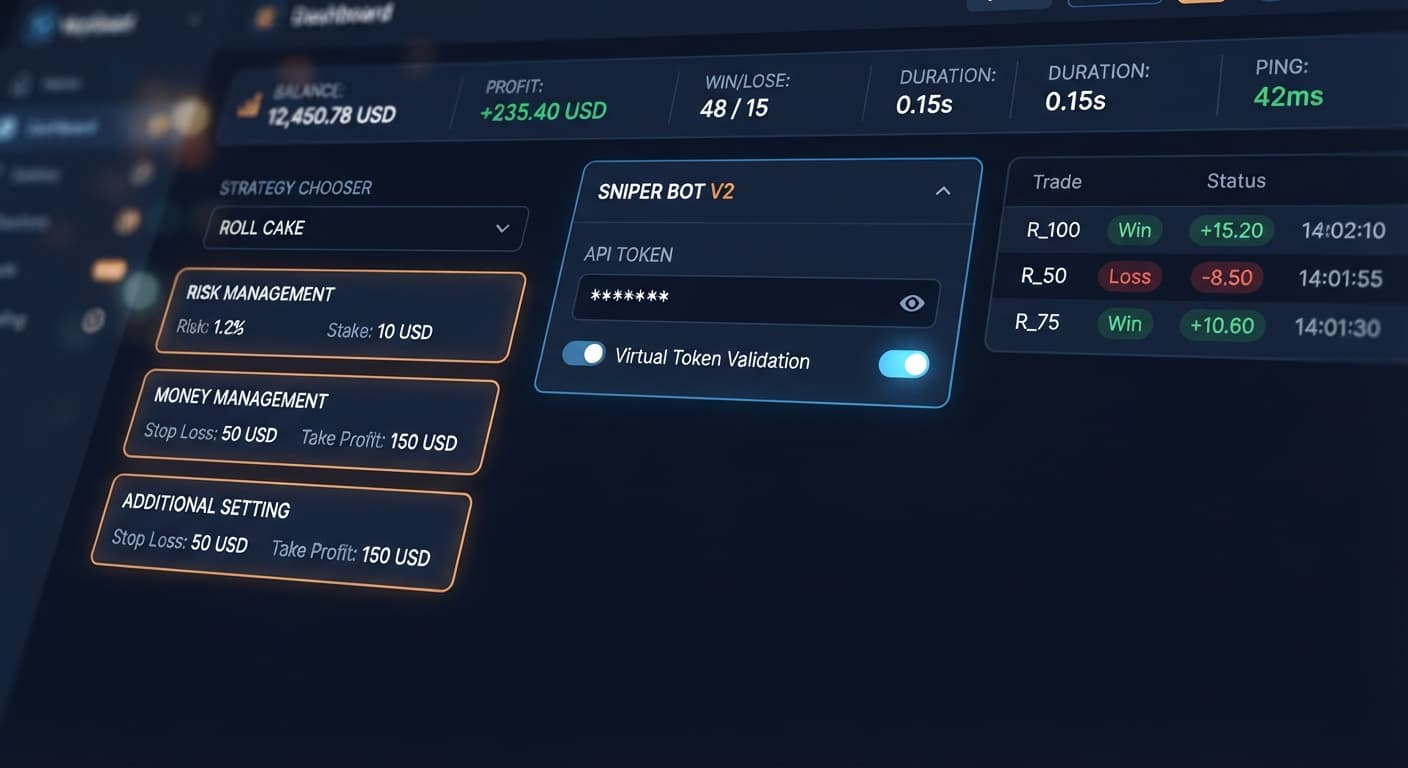
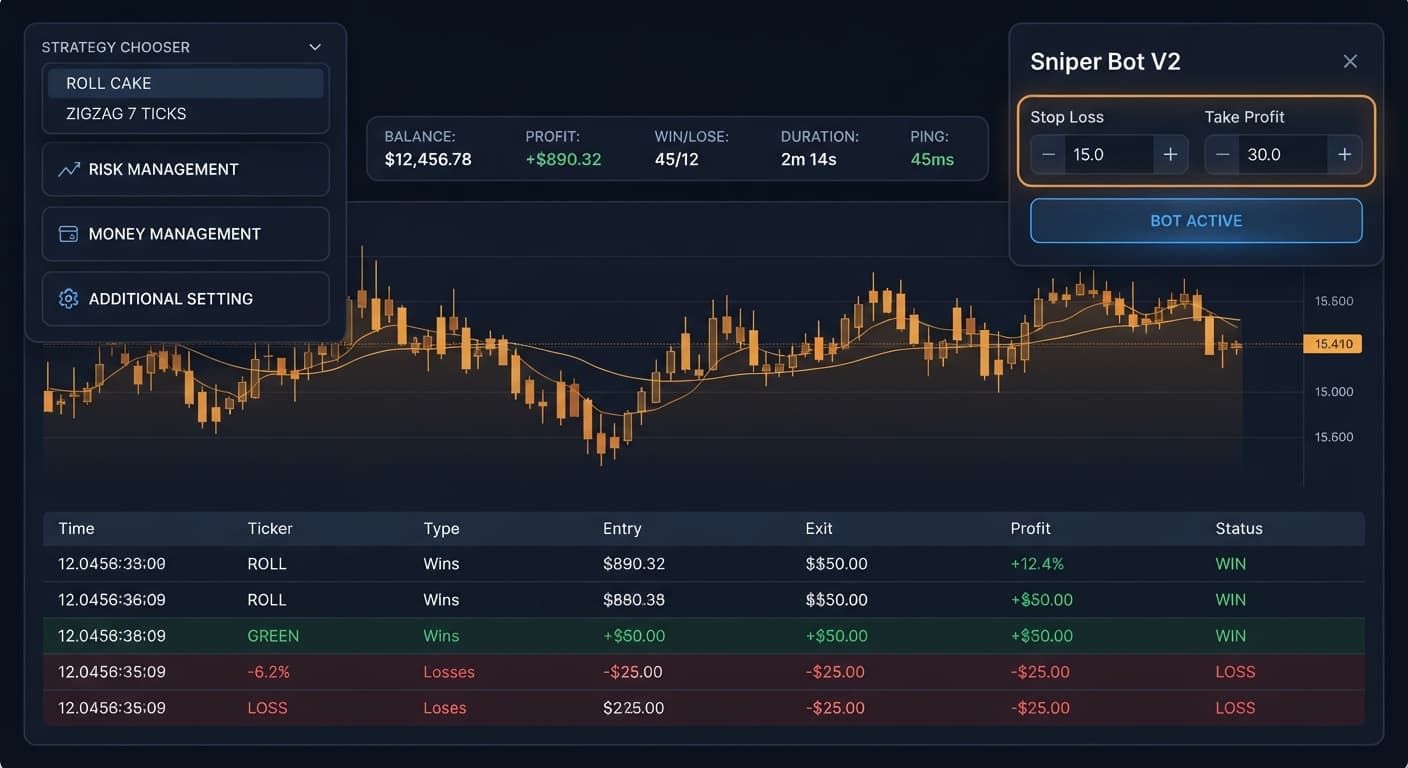
When your sniper bot v2 keeps losing trades, the signs appear immediately across the top header strip. You'll see the PROFIT readout turn deep red while the LOSE counter climbs past the WIN count. Meanwhile, the DURATION clock keeps ticking as automated orders fire every few seconds across Volatility indices or 1s volatility indices.
Many traders watch this happen while assuming the algorithm hit a cold patch. In reality, the bot is doing exactly what you told it to do. If you choose EVEN/ODD - ROLL CAKE or RISE/FALL - ROLL CAKE without setting an active loss cap, the software sends continuous contract requests straight to Deriv. Synthetic volatility index draws are independent events; past ticks don't increase the odds of the next tick turning in your favor. Running continuous execution on standard deriv bots without strict exit rules means you're letting random noise run your account.
Before changing any strategy parameters, you need to know what the screen is telling you. The interface provides real-time feedback across the top bar and individual control cards. Here's how to diagnose what's going wrong during a live run.
| What You See on Screen | What It Actually Means | Exact Fix Required |
|---|---|---|
| PROFIT readout is negative, but the bot continues placing trades | Take Profit or Stop Loss values are typed in, but their enable checkboxes are unchecked | Click the enable checkbox next to Stop Loss in the RISK MANAGEMENT panel |
| Real balance drops instantly after a single losing trade | Stake is taking real losses without waiting for paper-trading buffer triggers | Input a virtual token, set Virtual Loss (in a row) to 3 or higher, and set BACK TO VIRTUAL to IF REAL LOSE |
| Trade log shows back-to-back real stake increases on every loss | martingale will active after X real loss is set to 0 with a high martingale multiplier | Set active delay to at least 2 real losses and reduce maximum martingale level |
| The trade log is completely blank and no orders are firing | The bot is set to ZIGZAG 7 TICKS and is waiting for a 7-tick alternating sequence | Wait for the pattern to appear or switch to ROLL CAKE for continuous entries |
| PING readout spikes above 500ms while trades lag | Network latency between your browser and the Deriv API WebSocket is stalling orders | Refresh the connection or re-enter your Deriv API token in Your Token Here |
The most reliable way to halt rapid drawdown on Sniper Bot V2 is activating paper trading before real money hits the market. This forces the software to simulate execution using a secondary virtual account until a set number of virtual losses occur.
Paste your real account token into the Your Token Here field, then open the ADDITIONAL SETTING panel. Paste a demo account token into the virtual token field. Click VALIDATE next to both fields. You'll see successful connection confirmations for both feeds.
Open the STRATEGY CHOOSER dropdown. Select your desired strategy pair, such as RISE/FALL - ZIGZAG 7 TICKS or OVER/UNDER - ROLL CAKE. This configures the underlying contract types, whether it places CALL, PUT, DIGITOVER, or DIGITUNDER orders.
Inside the RISK MANAGEMENT panel, set Virtual Loss (in a row) to a realistic threshold, such as 3 or 4. Next, locate BACK TO VIRTUAL. Change this dropdown setting to IF REAL WIN/LOSE or IF REAL LOSE. This forces the bot to revert to virtual paper-trading immediately after a real contract completes or loses.
Stay inside the RISK MANAGEMENT panel. Set your base Stake amount. Enter your target numbers in Take Profit and Stop Loss. Crucially, click the enable checkbox next to both fields. If those boxes remain empty, automated deriv bots ignore the numerical thresholds completely.
You typed 20 into the Stop Loss field, but the bot kept running until your balance dropped by 100. Why? The input field is just a numerical placeholder until you tick the checkbox attached to it. Without that active checkmark, the bot's risk monitor never triggers an emergency shutdown. Always double-check that the small square next to Stop Loss contains an active tick mark before pressing start.
Martingale setups are dangerous on high-frequency binary bots. If martingale will active after X real loss is set to 0, the bot multiplies your base Stake on the very first lose contract. If a market trends against your selection, a short losing run pushes your required stake beyond safe boundaries. Set this trigger to at least 2 or 3 real losses so multiplier sequences only run on proven statistical anomalies.
ROLL CAKE patterns fire trades continuously on every tick sequence. In fast-moving 1s volatility indices, continuous entry exposes your account to rapid tick sequences without filtering out market noise. If your sniper bot v2 keeps losing during high-volatility sessions, switch your STRATEGY CHOOSER to a pattern like TOUCH/NO TOUCH - ZIGZAG 7 TICKS or EVEN/ODD - ZIGZAG 7 TICKS. The 7-tick alternating requirement introduces a natural cooling-off period between contracts.
By default, the bot submits a new request the instant Deriv settles a contract. If you hit a cluster of bad ticks, you can lose five contracts in under ten seconds. In the ADDITIONAL SETTING panel, set delay (seconds) after win contract to 3 and delay (seconds) after lose contract to 5. Spacing out entries prevents emotional trading, gives market volatility time to normalize, and protects popular binary bots against rapid-fire request loops.
Don't take these fixes for granted on a live balance. You can verify that your risk parameters work by running a brief 20-trade test on a virtual account.
1.5 and Stop Loss to 10. Ensure both checkboxes are checked.2.20 trades in the ADDITIONAL SETTING panel, then start the bot.Watch the readouts on the header strip as the run unfolds. You should see the bot run paper trades in the background log until two virtual losses occur in a row. At that point, it fires a single demo contract. If that trade loses, the bot should instantly drop back to paper trading, keeping your primary demo balance safe. If the PROFIT readout reaches positive 5 or negative 10, the bot must stop immediately. Once you see these safety mechanisms fire on demo, your real-money settings are ready.
Try these settings for yourself on Sniper Bot V2 using a virtual account balance first.
If you don't have a virtual testing environment setup yet, create a free Deriv account to generate your API token.
Trading involves risk. Past performance does not guarantee future results.
The original Sniper automated trading bot for Deriv — a named strategy chooser with ROLL CAKE and ZIGZAG 7 TICKS entry patterns across Rise/Fall, Higher/Lower, Touch/No Touch and digit contracts, with virtual-token paper trading before real stakes.
Open Sniper Bot V2 →It's usually caused by an unchecked Stop Loss box, an aggressive martingale multiplier, or running continuous ROLL CAKE entries without a virtual loss buffer. Because Sniper Bot V2 executes precisely what you program, uncapped downside lets normal tick variance wipe out your gains.
Your Take Profit or Stop Loss values are typed in, but their enable checkboxes are unchecked. You can fix this by clicking the enable checkbox next to Stop Loss in the risk management panel.
You need to set up a paper-trading buffer by inputting a virtual token, setting the virtual loss in a row to 3 or higher, and switching back to virtual if a real loss occurs. This forces Sniper Bot V2 to simulate execution on a virtual account before risking real money.
The martingale feature is set to activate after zero real losses combined with a high multiplier. To fix this, set your active delay to at least two real losses and reduce your maximum martingale level.
Guides closest to this one.
Follow this sniper bot v2 deriv bots guide to configure eleven distinct strategies on BinaryBot.live. Start your automated trading bot setup today.
Complete sniper bot v2 api token setup guide for deriv bots. Learn how to connect and validate your virtual token safely on BinaryBot.live today.
Master your sniper bot v2 stop loss setup on BinaryBot.live. Learn to configure risk controls on this free deriv trading bot safely. Start configuring today.